
Six modes & card layouts
Comfort, Focus, Dynamic, Minimal, PiP and Wallpaper, with cards and shortcuts suited to each layout.
SMARTCAR LAUNCHER · FEATURES
A screen that feels like yours. Everyday controls, right where you need them.
Layout & style
Six layouts, themes and wallpapers. Bring a familiar feeling to every drive.
Explore the six layouts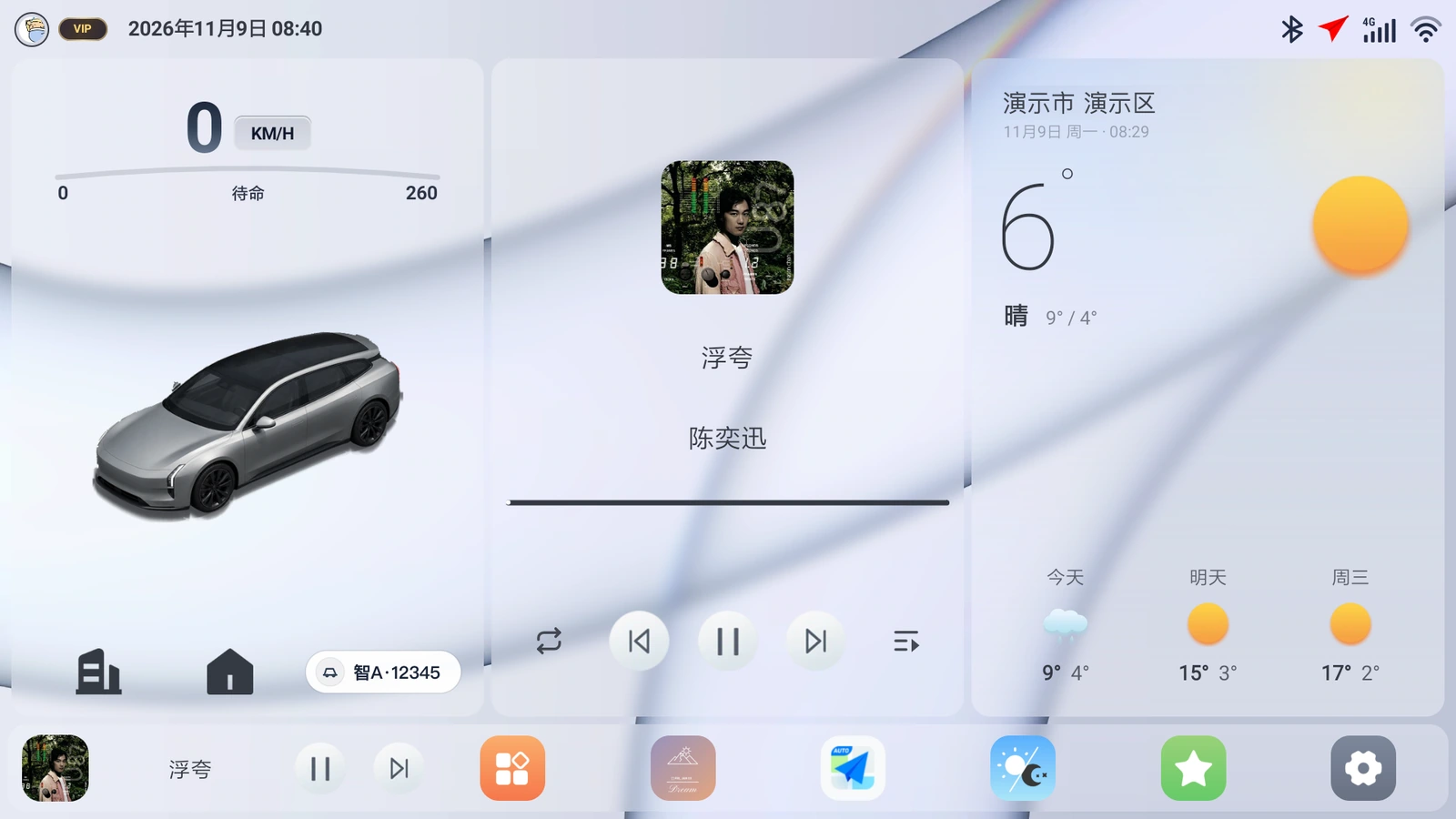
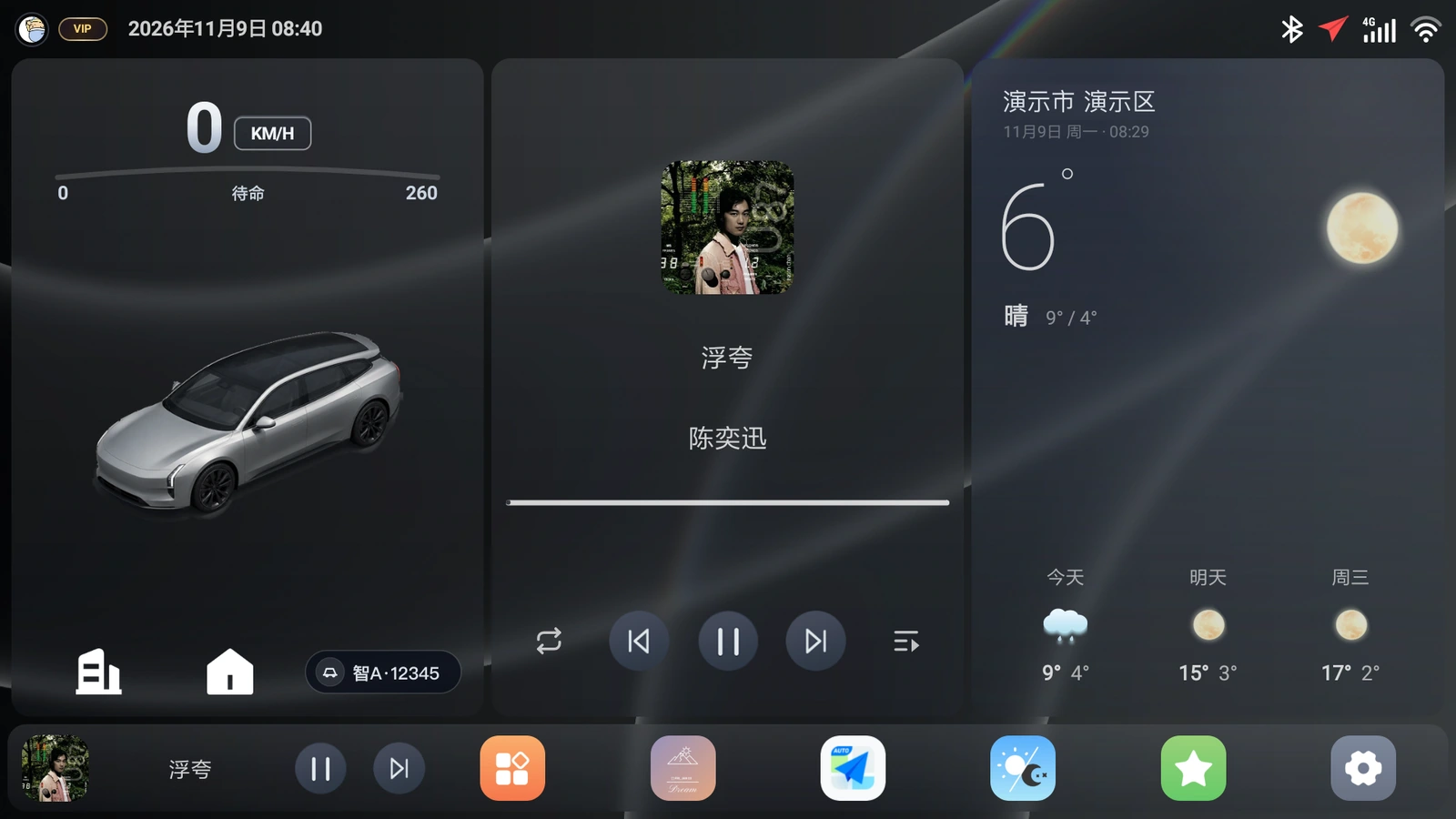
Comfort, Focus, Dynamic, Minimal, PiP and Wallpaper, with cards and shortcuts suited to each layout.
Browse official and Bing selections or import images and videos. Wallpaper mode supports multiple pages and widgets.
Preview and manage styling resources. Check supported uses, version and access before applying.
Choose clock cards and screensaver faces, their appearance and activation settings.
Use a fixed theme or follow sunrise, sunset or time. Compatible headlight signals need a successful detection first.
Navigation & music
Maps, turn guidance and playback controls, together on your home screen.
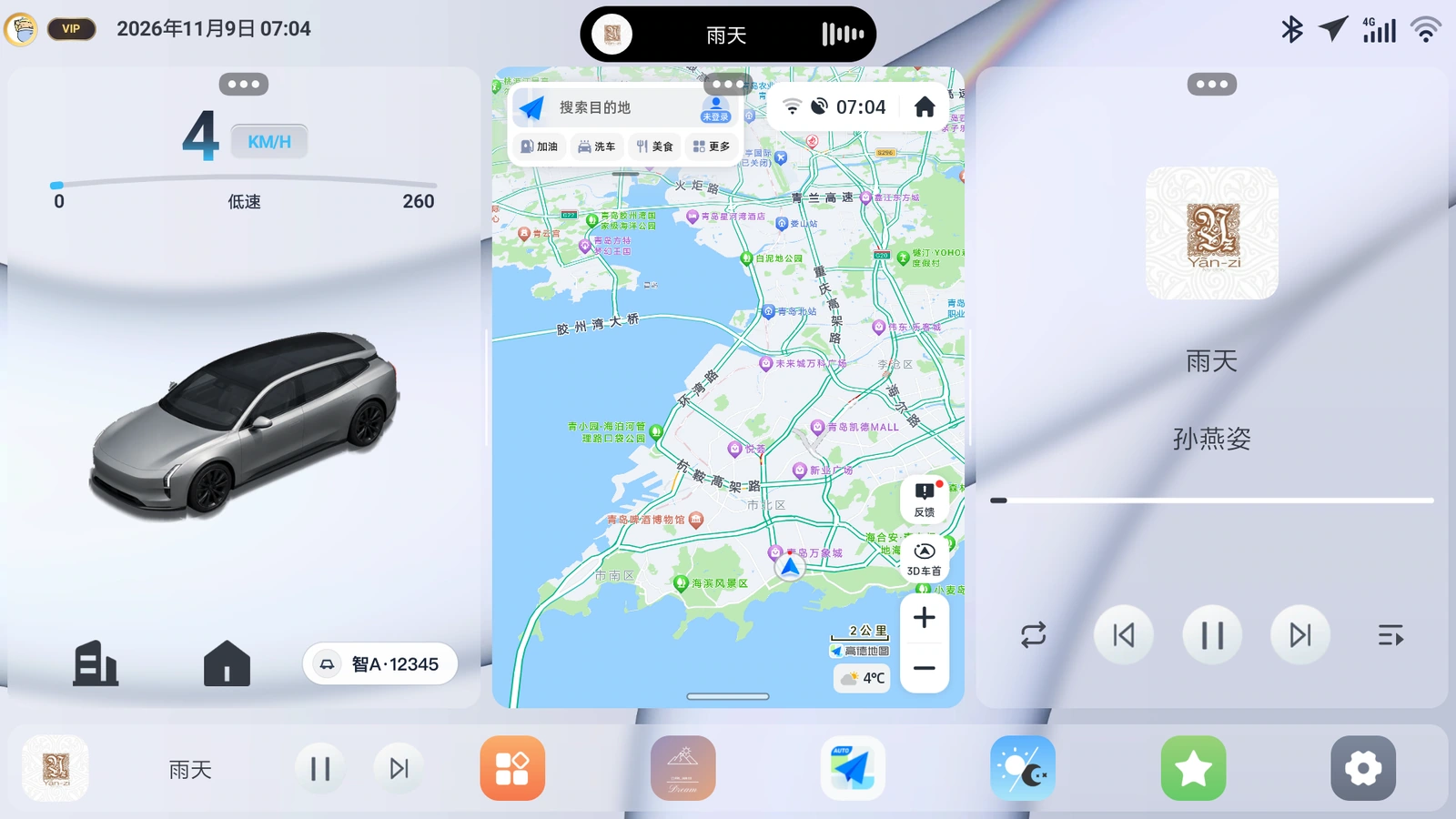
Choose a compatible navigation app with rounded, edge-to-edge or blended floating map styles.
See available turn guidance, music, notifications and traffic signals in one compact surface.
Show signals, countdowns and guidance when navigation data is available. Follow the actual road signals.
Artwork, lyrics and controls depend on the player. Supported direct versions add queues, track selection, favorites and play modes.
Smart routines
Bring music, navigation and everyday actions together in your own routine.
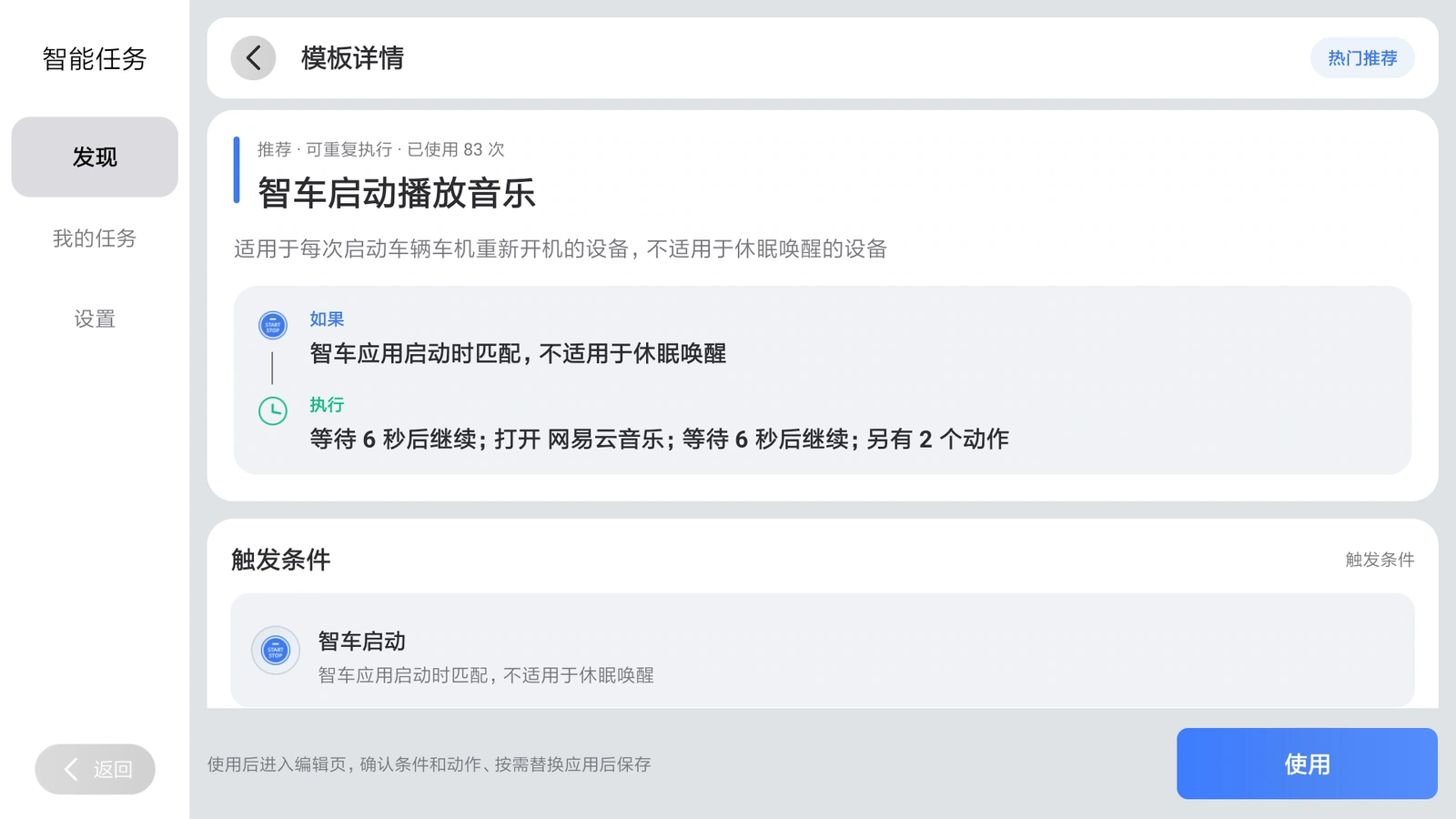
Use launch, wake, schedules, Bluetooth or network states to match your everyday habits.
Sequence music, home/work navigation, app launches, brightness, volume and delays.
Explore recommended routines or import a shared code. Review the actions before adapting them.
Save in WeChat and sync to the head unit. Check conditions and actions against device support, permissions and access.
Connections & files
Send files from your phone, with clear starting points for CarPlay and secondary screens.
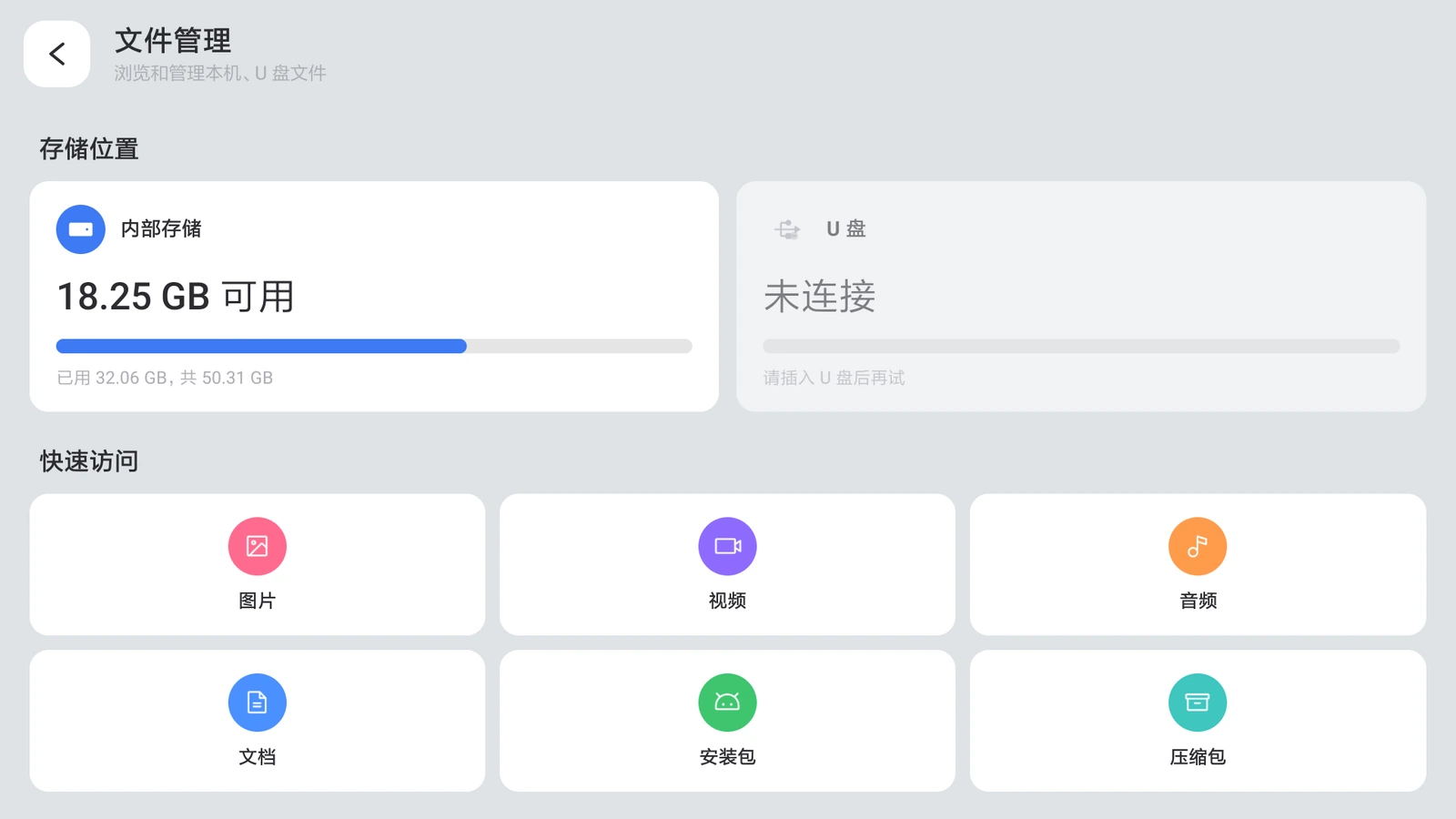
Browse internal and USB storage by type. Copy, move, rename and preview images, video and music files.
Connect your phone to the same network or head-unit hotspot and transfer in a browser. Automatic hotspot control requires support.
Connect an iPhone on compatible devices. USB requires Android 6+; wireless requires Android 9+. Follow the connection guide.
Choose cards and adjust their display area on a detected physical secondary screen. Maps and app casting need corresponding support.
Vehicle & accessories
Compatible accessories bring tire pressure, vehicle and environmental readings into view.
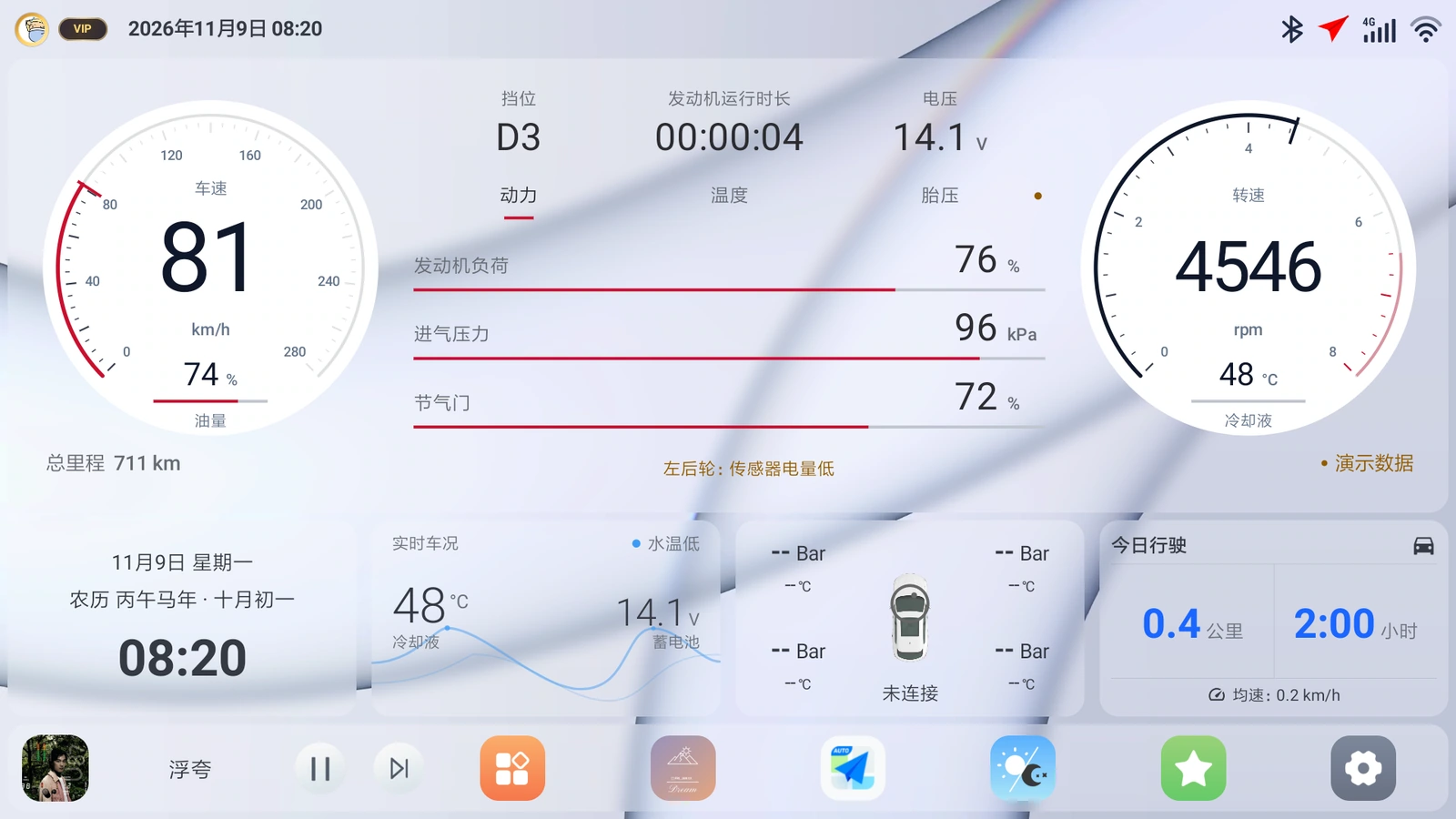
Connect compatible hardware for wheel pressure and temperature, alert settings, sensor learning and tire rotation.
Connect a compatible adapter to read live data, fault codes and diagnostics exposed by your vehicle.
Connect a supported USB GPS receiver to check satellites, positioning and permissions, then configure it for your device.
Connect a supported Bluetooth temperature/humidity sensor. Guardian mode shows a message and readings; it does not control climate or replace supervision.
Synthesize sound from RPM reported by compatible OBD hardware, or try the simulated preview in settings.
Your car in WeChat
Find your car, revisit trips, track costs and plan care together with family in WeChat.
Explore SmartCar Connect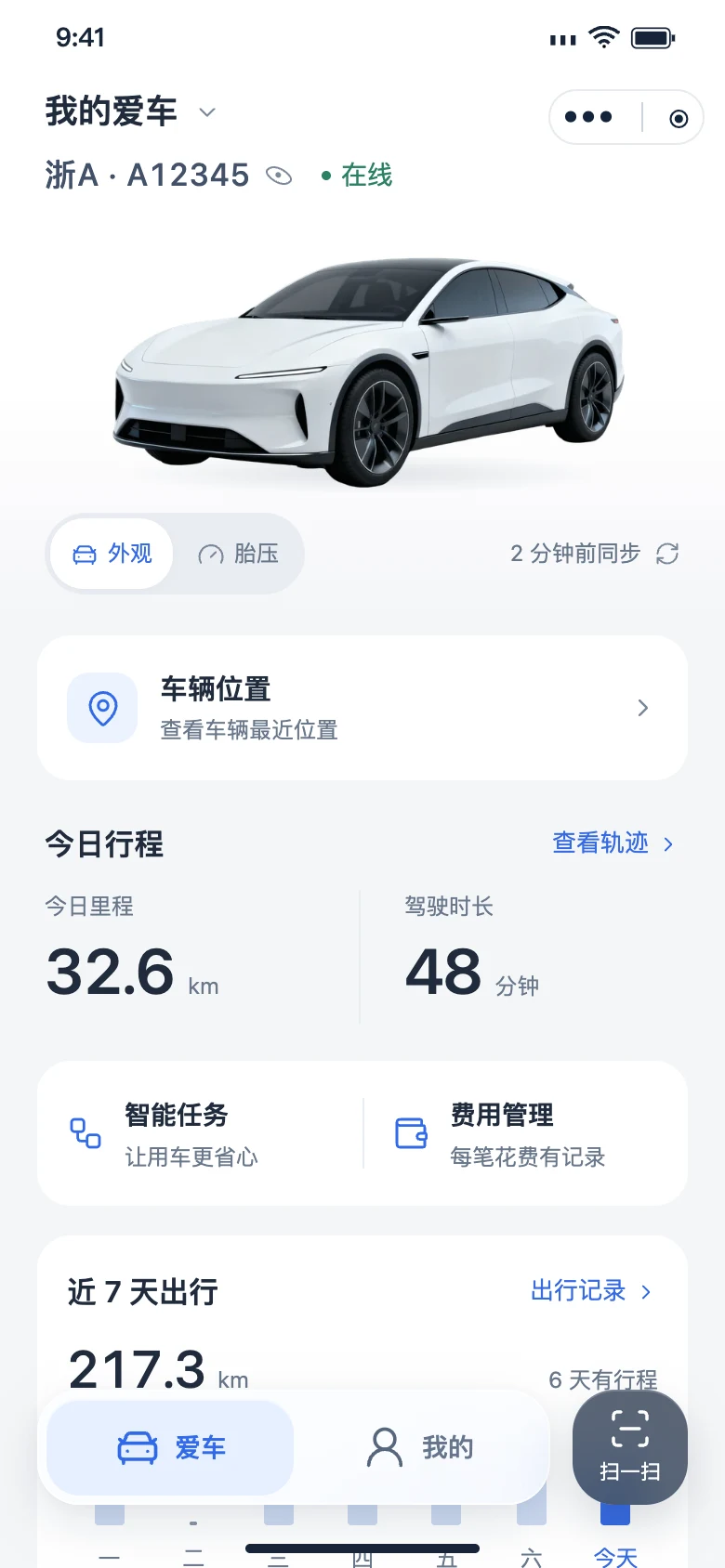 Your car
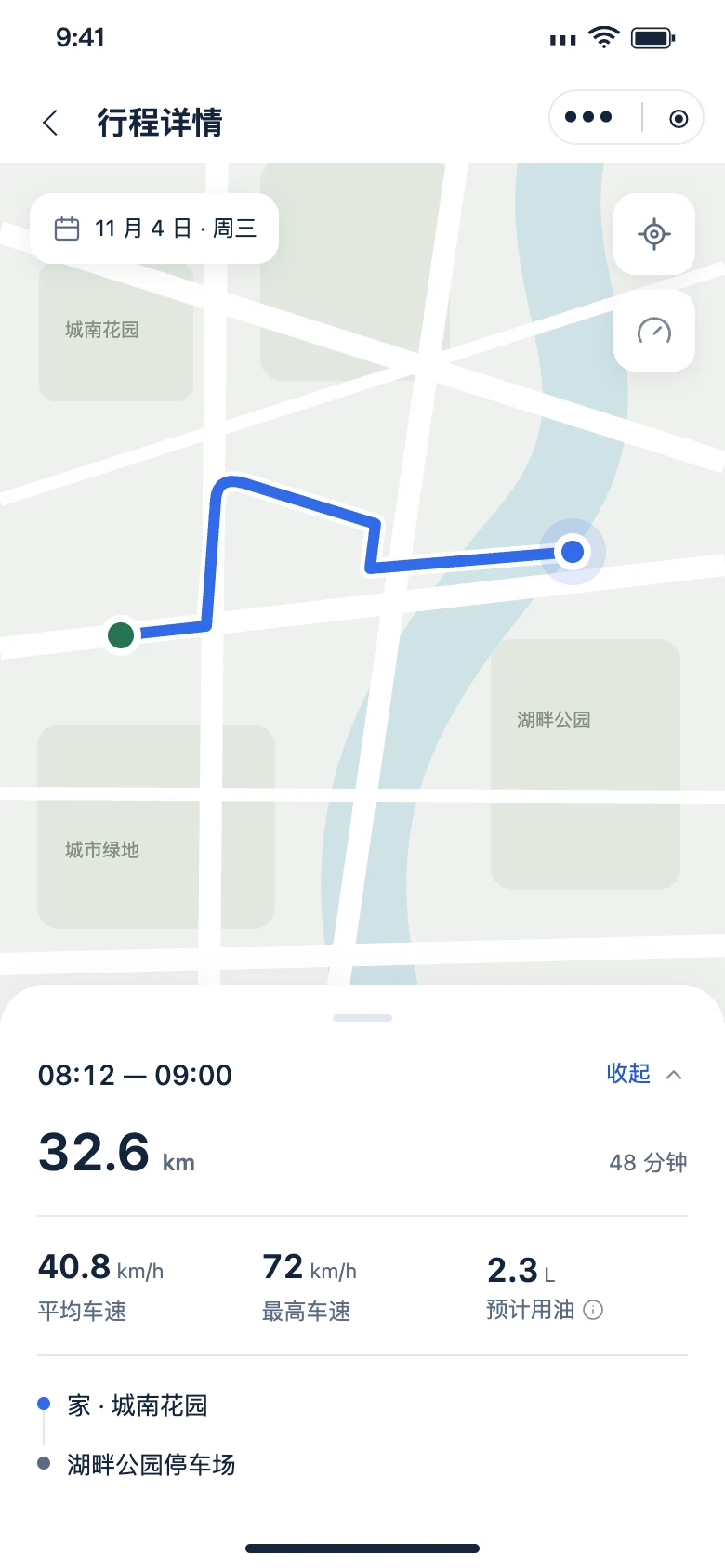 Your journeys
See the last reported position, route, distance and duration, then navigate back to your car.
Record spending. Owners maintain service intervals, inspection and insurance dates to track remaining distance and days.
Invite family to view shared cars and manage multiple vehicles, or temporarily share a current trip’s location.
Edit, import and share routines in WeChat, then let the head unit sync and run them.
Buttons, apps and connections. Make the actions you repeat every day work your way.
Reach everyday actions through steering-wheel buttons, gestures or floating shortcuts, with fewer menus to open.
Requires compatible key signals. Use across apps needs the assistance service and relevant permissions. Set up while parked.
Group, pin or hide apps so your everyday navigation, music and tools are easier to find.
Hiding only changes the SmartCar app list. It does not uninstall apps or erase their data.
Focus on the map, then return to your favorite cards. Preset two layouts to make switching simpler.
Available modes depend on your version, device and feature access.
Once you are back on the desktop, a further Home press can reach your preferred content using actions set for each mode.
The first Home press returns from another app. Further presses use the supported desktop action.
Keep everyday apps together in a quick panel, and remove shortcuts when you no longer need them.
Small windows require system and app support, plus relevant authorization.
Customize the bottom or side dock so app shortcuts and music controls fit your screen layout.
Options vary by layout. The music control bar is available in the bottom dock only.
Let a clock and a personal message fill the idle screen, with entry and exit conditions you choose.
Speed-based exit requires available speed data. Styles and options vary by version.
Configure a familiar network in advance to reduce manual connection steps, or use supported hotspot options to share a connection.
Requires system permissions and hardware support. Some devices disconnect Wi-Fi when the hotspot starts.
Save supported desktop settings to the cloud and download a backup when needed to reduce repeated setup.
Requires active membership and a connection. Supported settings vary by version.
Check the weather before setting off, then keep direction, time and daylight information within reach.
Uses available location, weather and device data, for travel reference only.
Save common broadcast commands for compatible apps so you can send them again without retyping.
The receiving app must support the broadcast actions and parameters.
When a feature stops responding, check permissions, location and service status to narrow down the cause.
Available checks depend on the system access your head unit provides.
Temporarily lock touch input before wiping the screen to reduce accidental app launches or page changes.
Reduces accidental touches only. It does not clear files or caches.
Choose a familiar interface language, time format and display units to suit your everyday habits.
Options vary by version. Third-party apps have separate settings.
Screens and values are examples. Navigation, system actions, casting and accessories need compatible devices, apps and permissions. Locations and trips require reporting and a connection. Some styling, cloud and advanced features need membership; see your version and in-app terms.